
Consejos de iluminación para salas de juego para una configuración inmersiva
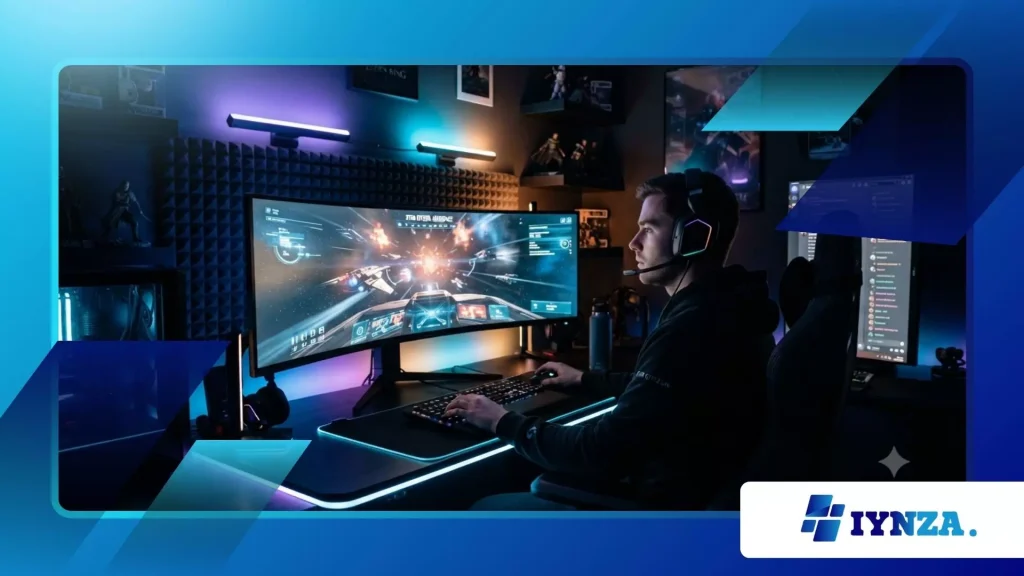
Iluminación de la sala de juegos Ha evolucionado desde una simple iluminación de fondo hasta convertirse en un recurso vital que mejora el rendimiento para los aficionados, tanto competitivos como ocasionales, de todo el mundo en 2026.
Anuncios
Lograr el equilibrio estético perfecto requiere una planificación inteligente para evitar los reflejos en la pantalla, reducir la fatiga visual y mejorar significativamente la experiencia general en el mundo virtual.
Los decoradores experimentados comprenden que un diseño de distribución adecuado altera la percepción espacial, transformando las pequeñas oficinas domésticas en amplios y envolventes centros de entretenimiento.
Seleccionar temperaturas de color coincidentes y capas de hardware inteligentes sincronizadas garantiza que tu estación de batalla reaccione dinámicamente a cada evento en pantalla.
La colocación estratégica de tiras de luz difusa detrás de los monitores crea un hermoso brillo ambiental a la vez que realza la profundidad estructural en toda la habitación.
Invertir tiempo en configuraciones personalizadas crea un santuario único y único que destaca de forma brillante durante las retransmisiones profesionales en directo o las sesiones competitivas nocturnas.
Esta descripción general desglosa las capas esenciales de iluminación, ofrece soluciones técnicas para la fatiga visual y presenta los últimos sistemas de sincronización inteligente disponibles actualmente.
¿Qué define la correcta colocación de la capa ambiental?
¿Qué es el brillo ambiental?
Una iluminación ambiental eficaz establece el ambiente básico sin proyectar haces de luz intensos directamente sobre el escritorio o el campo de visión periférico.
Colocar luminarias LED indirectas dentro de molduras de techo montadas en la pared o debajo de estantes flotantes distribuye los lúmenes de manera uniforme sin generar puntos brillantes que distraigan.
Los paneles inteligentes de difusión proyectan una luz suave y envolvente que hace que todo el centro de mando se sienta cohesionado, acogedor y arquitectónicamente bien diseñado.
Este brillo estratégico suaviza la brusca transición entre los rincones oscuros de la habitación y las brillantes pantallas de monitor de alta frecuencia de actualización durante las intensas campañas nocturnas.
¿Cómo funciona la iluminación de polarización?
Instalar tiras de luz flexibles detrás de la pantalla proyecta un halo suave contra la pared posterior, funcionando como una iluminación de fondo esencial.
Esta ingeniosa técnica reduce la enorme carga de trabajo de tus pupilas al equilibrar los intensos destellos localizados durante las secuencias de videojuegos cinematográficas de alto contraste.
Colocar una barra de luz neutra de 6500K encima de la pantalla principal mantiene el espacio de trabajo perfectamente visible para las tareas físicas de escritorio.
Los jugadores disfrutan de una visibilidad nítida en la distribución de sus teclados físicos sin sufrir molestos reflejos que empañen los magníficos detalles de los píxeles en pantalla.
++ Tendencias de juegos pasivos 2026: ¿Por qué el juego inactivo está creciendo rápidamente?
¿Por qué elegir configuraciones direccionables?
Las matrices LED direccionables permiten que los píxeles individuales muestren colores distintos simultáneamente, generando transiciones fluidas a lo largo de una única tira larga.
Elegir cajas de control digital avanzadas le permite personalizar los degradados, imitando a la perfección los patrones climáticos en movimiento o los letreros de neón retro de las máquinas recreativas.
Estas tiras flexibles se adaptan a las intrincadas geometrías del escritorio, transformando los aburridos bordes rectos en horizontes bellamente luminosos que enmarcan tus componentes electrónicos.
Esta libertad creativa te permite combinar tu espacio físico con tu inventario digital actual o con los colores de tu equipo de esports favorito al instante.
¿Cómo mejoran los ecosistemas de sincronización la experiencia de juego?
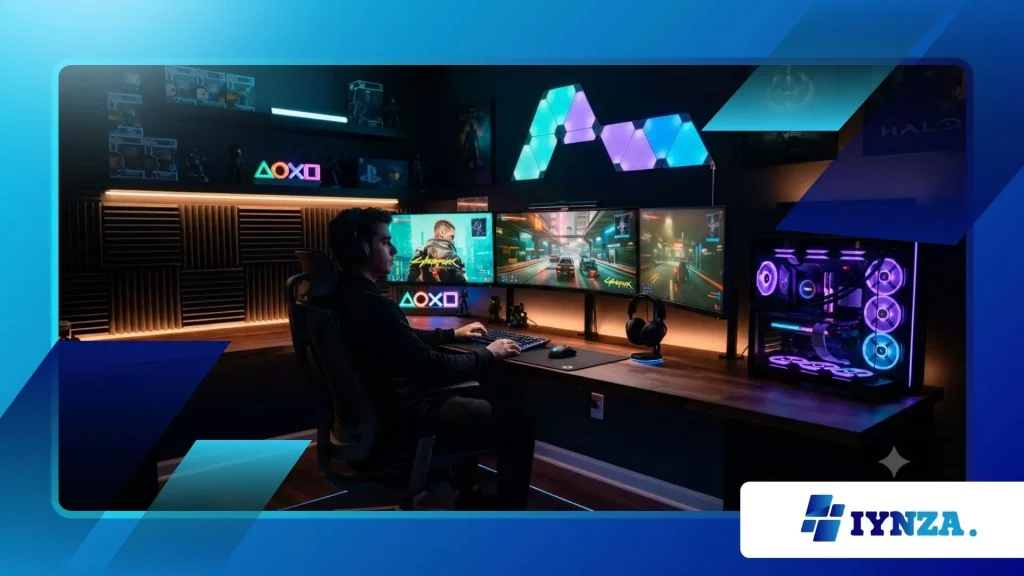
¿Cómo funciona la duplicación de pantalla en tiempo real?
Los controladores inteligentes modernos analizan continuamente la señal de salida de vídeo HDMI activa, haciendo coincidir las barras de luz externas con las paletas de colores dominantes en pantalla.
Cuando una explosión llena tu pantalla con un fuego naranja brillante, toda tu pared estalla en brillantes tonos carmesí y ámbar a juego.
Este mapeo reactivo e inmersivo actúa como una extensión física de la pantalla, llevando la visión periférica más profundamente al entorno virtual.
Los jugadores perciben los mundos digitales como ecosistemas mucho más amplios, rompiendo las barreras físicas de los estrechos marcos de los monitores durante los juegos de disparos competitivos.
¿Qué revelan los estudios ergonómicos recientes?
Los datos de investigaciones sobre ergonomía arquitectónica indican que la iluminación indirecta optimizada redujo la fatiga visual autoinformada entre los usuarios de ordenadores que pasan largas sesiones en más de 30%.
Esta importante disminución subraya la enorme importancia de descartar las habitaciones completamente oscuras en favor de luminarias inteligentes con una iluminación equilibrada y bien distribuida.
Mantener un equilibrio de iluminación adecuado protege tu salud visual a largo plazo, asegurando que tus ojos se mantengan nítidos, cómodos y con buena capacidad de respuesta durante los torneos de videojuegos maratonianos.
Invertir en alta calidad Iluminación de la sala de juegos Protege directamente tu rendimiento de las ralentizaciones físicas causadas por la sequedad ocular y los fuertes dolores de cabeza.
Leer más: Las mejores aplicaciones de juegos para mantenerte conectado con tus amigos
¿Por qué configurar perfiles personalizados independientes?
Crear configuraciones predefinidas separadas para partidos competitivos, simuladores relajantes y noches de cine garantiza que siempre tengas el mejor equilibrio atmosférico posible.
Reducir la luminosidad del fondo a tonos azul oscuro mejora la concentración en los juegos de sigilo, mientras que las escenas blancas brillantes ayudan a concentrarse durante el trabajo técnico de escritorio.
Los modernos concentradores para hogares inteligentes cambian automáticamente estos perfiles complejos en función de los activadores del software de escritorio, lo que ahorra tiempo y esfuerzo.
Esta transición fluida del sistema permite que te concentres por completo en ganar la partida en curso sin necesidad de realizar ajustes manuales durante el juego.
¿Qué soluciones estructurales resuelven el problema de la reflexión en las pantallas?
¿Cómo combaten los reflejos las lentes difusoras?
El uso de cubiertas de plástico transparente en las tiras de LED de alta intensidad genera reflejos antiestéticos que provocan fatiga mental rápida durante los partidos de ritmo acelerado.
La instalación de canales de difusión especializados de color blanco lechoso suaviza los puntos de diodo intensos, dispersando los rayos individuales en una banda de color perfectamente uniforme y sólida.
Esta difusión uniforme de la luz imita una suave bruma matutina, llenando la habitación de color sin crear puntos de luz intensos y molestos en ningún lugar.
Proteger tu línea de visión de la exposición directa a los diodos te permite mantener la concentración en los objetivos competitivos clave y en los mapas de radar.
¿Por qué priorizar las lámparas de acento ajustables?
La colocación estratégica de focos articulados permite iluminar los objetos de colección en los estantes sin saturar la pantalla principal de alta resolución.
Al orientar los haces de luz ajustables hacia paredes neutras, se aprovecha la reflexión natural, proyectando colores suaves e indirectos de vuelta a la habitación para lograr un aspecto equilibrado.
Estas piezas decorativas crean sombras interesantes que añaden una textura estética impactante, haciendo que tu sala de juegos parezca un espacio de museo interactivo.
¿Acaso no es más gratificante exhibir sus objetos de colección únicos bajo focos profesionales de calidad museística, en lugar de bombillas domésticas estándar?
¿Cómo ayuda la integración con hogares inteligentes?
Conectar tus sistemas de iluminación a los asistentes de voz te permite ajustar el ambiente de toda una habitación mediante comandos sencillos, sin interrumpir las partidas en línea.
Configurar horarios automatizados garantiza que la temperatura de tu habitación se adapte de forma natural a los cambios en la hora de la puesta de sol, lo que favorece ciclos de sueño más saludables después de intensas sesiones nocturnas.
Este control unificado convierte tu sistema en una máquina viviente y receptiva que se adapta sin esfuerzo a las necesidades específicas de tu estilo de vida diario.
La automatización perfecta garantiza que su espacio siga siendo altamente funcional para la productividad, a la vez que se transforma en un auténtico centro de entretenimiento por la noche.
La tabla de datos completa que aparece a continuación detalla los atributos técnicos y las zonas de ubicación ideales para los tres tipos de iluminación principales que se utilizan en la actualidad.
| Tipo de iluminación | Función primaria | Posicionamiento ideal | Prevención de la fatiga visual |
| Iluminación de polarización | Balances Monitor Contraste | Directamente detrás de las pantallas | Máxima protección |
| Paneles ambientales | Crea ambiente | Paredes perimetrales y techos | Comodidad moderada |
| Iluminación de trabajo | Ilumina el espacio de trabajo del escritorio | En la parte superior de los marcos de la pantalla | Visibilidad del objetivo |
Redefiniendo tu entorno de estación de batalla personal
Masterización Iluminación de la sala de juegos Requiere combinar un rendimiento técnico ágil con una expresión artística altamente creativa para crear un santuario personal verdaderamente fascinante.
Tomar el control de tu entorno optimiza la concentración, protege tu visión y libera el verdadero potencial estético de tu hardware de alta gama.
¿Qué combinaciones de colores o perfiles de sincronización personalizados has implementado en tu estación? ¡Comparte tus experiencias y fotos de tu configuración en los comentarios!
Preguntas frecuentes
¿Aumentará significativamente mi factura de electricidad la instalación de iluminación inteligente?
Los sistemas LED modernos utilizan tecnología de bajo voltaje de alta eficiencia, lo que significa que incluso los complejos ecosistemas de múltiples tiras consumen una cantidad mínima de energía durante largos períodos.
Puedes operar sistemas inteligentes integrales por solo unos céntimos al día sin preocuparte por los aumentos drásticos en los costos de energía de tu hogar.
¿Cómo puedo evitar que las tiras de LED se caigan de mi escritorio?
Los adhesivos estándar suelen fallar en superficies de madera texturizada, por lo que el uso de clips de montaje específicos o perfiles de aluminio garantiza una estabilidad a largo plazo.
Limpiar previamente la zona de aplicación con alcohol isopropílico elimina los aceites, lo que garantiza una fijación permanente para sus rieles de iluminación de alta calidad.
¿Puedo sincronizar diferentes marcas de hardware?
Los programas de software de escritorio de código abierto permiten conectar diferentes ecosistemas de accesorios, unificando distintas marcas en un único panel de control coherente.
Esta compatibilidad cruzada elimina la necesidad de comprar a un solo fabricante, lo que otorga total libertad creativa en la configuración.
