
Guía para solucionar problemas de fluctuación de red: Estabilice rápidamente sus partidas en línea.
Este Network Jitter Fix Guide provides immediate, actionable strategies to stabilize your erratic connection and eliminate game-destroying latency spikes during competitive online matches.
Anuncios
High ping numbers frustrate players, but unpredictable variations in packet delivery times completely ruin the competitive matchmaking experience across modern multiplayer servers.
Online multiplayer infrastructure requires consistent data transmission rates to maintain precise character positioning and accurate hit registration during fast-paced exchanges.
When information packets arrive out of order, gaming software struggles to predict player movements, causing teleports, missed shots, and sudden disconnections.
A Quick Blueprint of This Connection Walkthrough
- The Problem Defined: A detailed breakdown explaining how packet variation differs fundamentally from high static ping values.
- Hardware and Software Optimization: Specific, practical configuration adjustments designed to prioritize real-time gaming traffic instantly.
- ISP and Routing Solutions: Advanced methodologies to bypass congested public pathways and secure a direct line to servers.
What Is Network Jitter and Why Does It Ruin Online Gaming?
Network jitter represents the variance in arrival times of data packets traveling across your internet connection to the regional gaming host server.
While a high ping simply introduces a consistent delay, jitter creates an unpredictable, fluctuating environment where your latency leaps from thirty milliseconds to three hundred unexpectedly.
Imagine driving down a highway where your vehicle randomly changes speed by fifty miles per hour every few seconds without your input.
Would you ever feel in control of that vehicle while navigating tight corners? That erratic behavior mirrors exactly what fluctuating packet delivery does to your real-time character coordinates during an intense competitive shootout.
How Does Jitter Differ From Standard Ping?
Ping measures the total round-trip time required for a packet to travel from your gaming device to the server and back again.
Jitter, conversely, calculates the statistical variation between those individual ping measurements over a specified testing window to determine overall stream stability.
A stable one-hundred millisecond ping allows your brain to adapt to a predictable delay while executing complex in-game mechanics.
Conversely, a connection that bounces aggressively between twenty and one-hundred milliseconds forces the game engine to constantly guess your location, triggering severe rubber-banding.
++ Guía de control de retroceso FPS: Mejora la precisión en tiroteos
Why Do Wi-Fi Connections Suffer Most From Variable Latency?
Wireless networks transmit data using radio frequencies susceptible to environmental obstructions, physical distance, and overlapping signals from neighboring household routers.
Every time a microwave operates or a smartphone syncs a background cloud backup, your wireless gaming data packets face immediate physical interference.
This structural volatility forces your router to constantly retransmit dropped packets, which introduces massive time gaps between data arrivals.
Upgrading to a wired Ethernet connection entirely removes these atmospheric variables, offering an instantaneous drop in overall packet delivery variance.
What Role Does Bufferbloat Play in Packet Disruption?
Bufferbloat occurs when your household internet router becomes overwhelmed by high-volume downloads, ultra-high-definition video streams, or automated software updates.
The hardware attempts to prevent data loss by creating massive internal queues, which inadvertently delays time-sensitive gaming packets.
When a crucial competitive matchmaking packet gets trapped behind a massive video data block, your in-game latency spikes instantly.
Managing this internal congestion requires implementing smart queue management policies directly within your local network infrastructure to keep critical data moving freely.
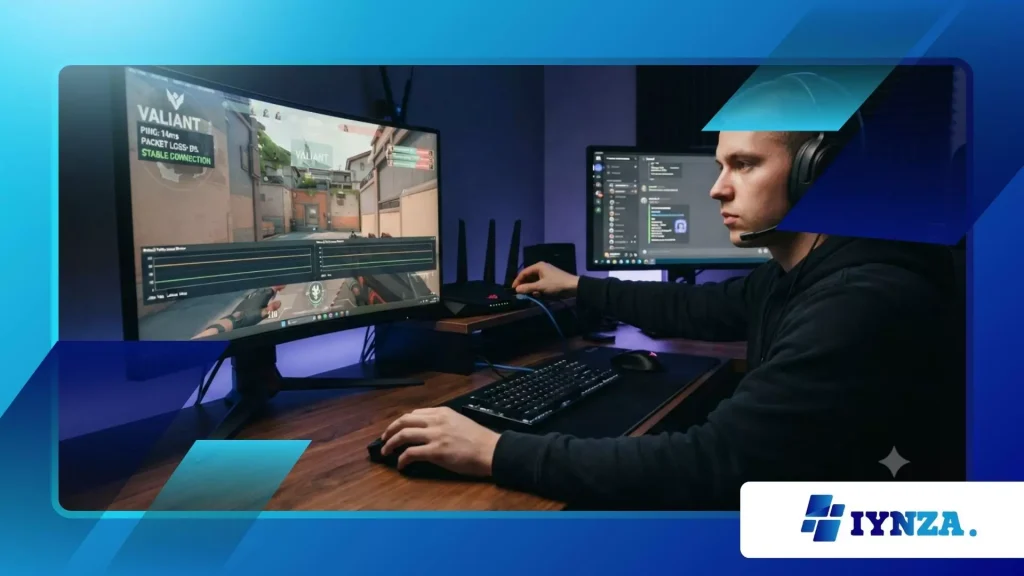
How to Fix Network Jitter Quickly Using Hardware Adjustments?
Eliminating variable packet delivery requires systematic adjustments starting directly with the physical routing hardware distributing internet throughout your dedicated gaming environment.
Many modern consumer routers struggle to process simultaneous high-bandwidth activities alongside low-latency gaming streams without specialized configuration tweaks.
Implementar un plan integral Network Jitter Fix Guide methodology empowers users to transform their local hardware setups from generic media hubs into specialized gaming engines.
Prioritizing your physical connection type and refining how internal processors distribute available bandwidth stabilizes packet flow during peak household usage hours.
Leer más: Packet Loss Fix Gaming: Estabiliza tus partidas online rápidamente
Why Should You Switch to an Ethernet Connection Immediately?
A physical Cat6 or Cat7 Ethernet cable establishes a dedicated, shielded pathway between your gaming motherboard and the local gateway device.
This direct physical link eliminates the environmental packet drops inherent to wireless transmissions, dropping your internal jitter metrics down to near-zero levels.
Are you still relying on legacy wireless bands while wondering why your competitive shots fail to register during crucial tournament rounds?
Removing the wireless bottleneck guarantees that data packets travel at the absolute maximum speed allowed by your subscription plan without external interference.
How to Configure Quality of Service (QoS) Settings?
Quality of Service represents a router feature that allows users to designate specific devices or application types as top-priority traffic bottlenecks.
By enabling QoS within your router’s administrator panel, you instruct the processor to prioritize gaming packets over household media downloads.
This rule ensures that even if someone downloads a massive game file in the next room, your real-time match data bypasses the queue.
Setting your gaming console or PC as the priority device effectively shields your session from local network congestion.
When Should You Update Your Router Firmware?
Router manufacturers frequently release software updates designed to patch security vulnerabilities and optimize packet routing algorithms for modern online applications.
Running outdated firmware can cause internal memory leaks, which directly degrades the hardware’s ability to process real-time data efficiently.
Access your router’s configuration webpage monthly to check for available system updates provided directly by the original equipment manufacturer.
Keeping this software updated ensures your hardware leverages the latest architectural improvements to maintain low, stable latency baselines.
Which Software and ISP Settings Stabilize Your Connection Best?
When hardware optimization reaches its limit, the focus must shift toward adjusting operating system parameters and analyzing how internet service providers route your data.
Suboptimal software settings or poor external routing decisions by your ISP frequently cause severe packet delivery variations over long distances.
A thorough Network Jitter Fix Guide must address these digital pathways to ensure your clean local signals don’t degrade once they leave your home.
Tweaking internal network stack variables and selecting optimized destination pathways keeps your real-time data moving along the fastest possible tracks.
How Does Changing Your DNS Server Improve Performance?
Domain Name System servers translate human-readable web addresses into the numerical IP addresses used by gaming networks to establish active server connections.
While DNS doesn’t alter your mid-game ping, utilizing slow, unoptimized ISP servers can delay initial matchmaking connection handshakes.
Switching your primary and secondary DNS configurations to reliable, ultra-fast public providers like Cloudflare or Google enhances connection reliability.
Clean routing lookups reduce the likelihood of initial packet misdirection, establishing a cleaner foundation for subsequent gameplay data streams.
Why Should You Disable Background Bandwidth Applications?
Modern operating systems execute dozens of background tasks, including cloud syncing, telemetry reporting, and automated launcher updates, without prompting the user.
These micro-downloads consume valuable upload bandwidth, creating subtle but frequent interruptions in your real-time gaming data pipeline.
Open your system’s resource monitor before launching a competitive match to identify and terminate non-essential applications hogging your network.
Restricting background data ensures your entire upload capability remains dedicated exclusively to communicating your precise in-game movements.
When Should You Contact Your ISP About Line Quality?
If your local hardware is flawless but jitter persists, the underlying issue likely resides within the physical copper or fiber lines connecting your home to the neighborhood node.
Damaged external lines, water ingress, or degraded splitters cause massive packet loss that users cannot fix via software settings.
According to a 2025 global broadband infrastructure report, nearly 14% of localized latency variance stems from aging last-mile physical cabling.
Request an line quality audit from your internet service provider, asking them specifically to check for signal-to-noise ratio anomalies along your physical connection line.
Before implementing major system changes, review this structural overview detailing expected variance metrics across different connection types.
| Connection Type | Average Jitter Range | Stability Rating | Primary Disruption Source |
| Fiber Optic (Wired) | 0.5ms – 2ms | Excellent | Core ISP Routing Congestion |
| Cable / Coaxial (Wired) | 2ms – 7ms | Good | Local Neighborhood Peak Usage |
| Wi-Fi 6 (Wireless) | 5ms – 25ms | Fair | Physical Walls / Signal Interference |
| 5G Home Internet | 15ms – 50ms | Poor | Atmospheric Weather / Tower Load |
Resolving External Stability Bottlenecks Permanently
Achieving a flawless multiplayer experience requires recognizing that your local setup forms just one part of a vast global network infrastructure.
While local tweaks offer immediate relief, maintaining long-term stability means consistently auditing your line quality and staying informed about regional infrastructure upgrades.
By applying this Network Jitter Fix Guide, you establish a resilient environment that minimizes variable packet delays even during intense household usage.
Take control of your digital environment today, optimize your routing pathways, and secure the competitive edge your gameplay deserves.
What specific hardware tweak finally cured your variable latency issues? Share your experience in the coments below so we can help more players optimize their gaming connections.
Preguntas frecuentes
What is an acceptable jitter value for competitive online matchmaking?
An ideal connection should maintain a jitter value below 3 milliseconds to prevent rubber-banding, though anything up to 5 milliseconds remains perfectly playable for most casual multiplayer titles.
Can a premium gaming VPN actually reduce my connection’s packet jitter?
Yes, a gaming-optimized VPN can reduce jitter if your standard internet service provider utilizes inefficient, congested routing pathways to reach the specific multiplayer game servers.
Why does my latency variance worsen during specific evening hours?
Evening latency spikes typically indicate local neighborhood node congestion, as a high volume of nearby residents log online simultaneously to stream high-definition media content.
