
Day-One Download Sizes: Why Modern Games Keep Growing

Day-One Download Sizes have transformed from minor launch patches into massive data transfers that regularly consume over a hundred gigabytes of storage space.
As a veteran gaming industry columnist, I remember when inserting a disc meant playing immediately without waiting for background installations.
Today, purchasing a new AAA blockbuster title represents only half the battle because downloading the initial data package requires substantial patience.
Modern interactive entertainment relies heavily on complex software architecture, ultra-high-resolution textures, and extensive uncompressed audio files to deliver immersive virtual worlds.
This digital expansion challenges network infrastructures, forces players to manage limited hard drive space, and redefines how consumers access interactive entertainment.
High-definition visual fidelity demands unprecedented storage allocation because uncompressed 4K assets require massive file structures across all major modern consoles.
Furthermore, game developers frequently deploy zero-day patches containing critical bug fixes, rendering physical optical media merely a physical license key rather than a complete game.
Understanding this phenomenon requires examining graphics pipelines, global storage standards, and how network bandwidth shapes software distribution.
The following structured guide explores the underlying causes driving this storage inflation across contemporary gaming platforms.
What to Expect in This Article
- Why Digital File Footprints Are Expanding Rapidly: The role of 4K assets, raw audio files, and high-polygon models.
- How Software Development Practices Impact Launch Storage: The necessity of zero-day updates, game engine complexities, and cross-platform optimization.
- What Players Can Do to Manage Massive Installs: Practical strategies for handling storage limits, solid-state drives, and internet bandwidth constraints.
- Hardware Storage Benchmarks: Comparative analysis of modern game sizes across major releases.
- The Future of Game Storage: Strategic industry outlook and modern solutions for bandwidth management.
Why Are Game Installs Expanding So Rapidly in Modern Gaming?
What Role Do High-Resolution Textures and Uncompressed Audio Play in File Inflation?
Visual assets dominate the majority of modern storage allocations because modern displays demand detailed 4K textures and intricate structural models.
When developers create photorealistic environments, every wall surface, character suit, and environmental asset requires multiple layers of high-resolution image maps.
A single 4K texture set can consume ten times the memory space of its 1080p predecessor without modern compression tricks.
Additionally, global localization requires studios to include multiple high-fidelity audio tracks with raw sound files for various languages.
Storing uncompressed audio prevents extra processor overhead during intense gameplay sequences, ensuring smooth frame rates at the cost of disk capacity.
When developers prioritize CPU performance over storage efficiency, file sizes expand drastically across all platforms.
Think of a modern AAA game as a massive digital museum where every single painting is stored at maximum print resolution rather than as a lightweight thumbnail.
This architectural decision guarantees pristine visual and auditory presentation, but it dramatically increases initial installation requirements.
Day-One Download Sizes continue to reflect this compromise between visual excellence and storage convenience.
++ Gaming Industry Consolidation: What Recent Deals Mean
How Has SSD Architecture Changed How Developers Package Game Files?
Solid-state drives inside current-generation consoles provide incredible read speeds, yet they haven’t automatically reduced total installation footprints as initially predicted.
While high-speed storage eliminates the old practice of duplicating assets to speed up mechanical hard drive reads, modern game engines use that saved space for higher-quality assets.
Developers no longer need to hide loading screens, but they fill the available drive throughput with complex geometries and dense environmental data.
Consequently, structural asset efficiency gains are quickly offset by the sheer volume of high-detail content packed into every environment.
Modern game engines like Unreal Engine 5 utilize systems that stream billions of polygons directly from storage into rendering pipelines.
This technological shift allows vast, detailed open worlds to exist without visible pop-in, but it demands huge baseline files.
When studios design games exclusively for fast solid-state drives, they optimize for visual detail and streaming speed rather than file compression.
As a result, software packages balloon, requiring robust home internet connections simply to complete initial setup procedures.
How Do Launch Patches and Engine Complexities Increase File Sizes?
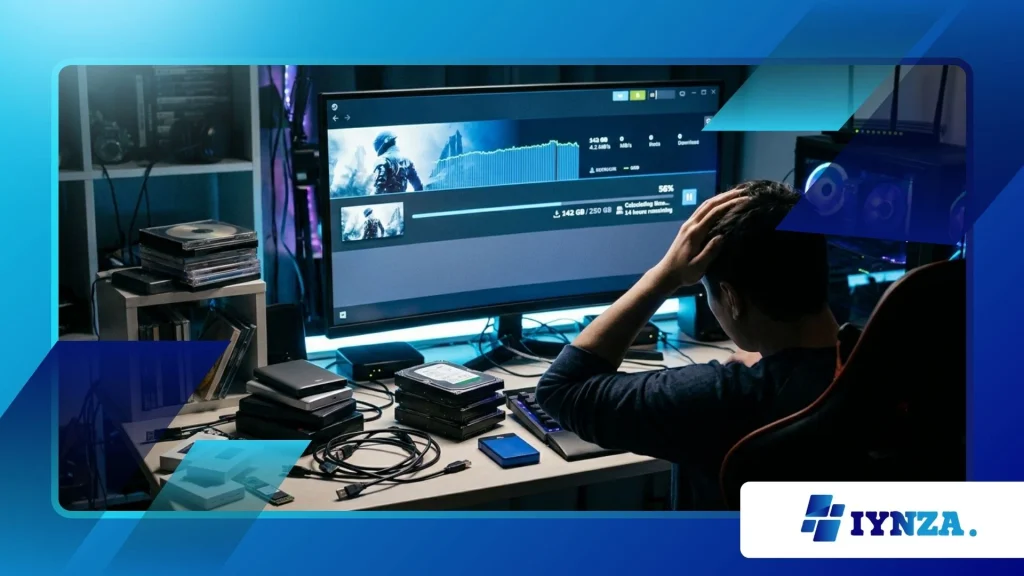
Why Are Zero-Day Updates Becoming Larger Than Base Games?
Zero-day patches have grown significantly because software development schedules frequently push bug fixing right up to the public release window.
When physical discs are manufactured weeks before launch, the code printed on them represents an early, incomplete version of the software.
Developers use the remaining time to rewrite massive sections of code, replace broken texture files, and rebalance core mechanics.
Consequently, the initial update often replaces entire archive blocks rather than applying small, surgical code patches.
According to research from the Video Game History Foundation, modern game preservation relies heavily on digital distribution networks because physical media rarely contains the playable release version.
This structural shift means that downloading a patch frequently requires re-downloading entire modified game sections.
When developers restructure multi-gigabyte archives to fix structural bugs, players must download massive replacement blocks.
This practice ensures stability on release day, but it forces users to process huge data transfers before launching the software.
Also read: The Biggest Gaming Industry Trends Defining 2026
How Does Cross-Platform Development Impact Overall Download Footprints?
Cross-platform development requires studios to ship unified build packages that accommodate wide variations in consumer hardware configurations.
PC releases must support thousands of distinct hardware combinations, ranging from entry-level graphics cards to ultra-high-end gaming rigs.
To ensure seamless performance across this spectrum, developers bundle multiple quality presets and rendering pipelines into a single downloadable package.
This practice prevents fragmentation, but it forces every user to download assets tailored for hardware configurations they do not own.
Console platforms also experience file inflation when games are designed to run across multiple generations of hardware simultaneously.
Developers must include fallback textures and low-detail models alongside high-end assets to maintain compatibility across legacy and modern machines.
Managing multiple asset sets within a single project inflates the final package significantly.
Until studios drop support for legacy hardware, cross-platform titles will continue carrying extra asset bloat across all versions. Day-One Download Sizes reflect these multi-platform engineering compromises.
What Solutions Can Players Use to Manage Limited Drive Space?
How Can Expanding Hardware Storage Alleviate Network and Drive Bottlenecks?
Investing in secondary high-speed storage remains the most direct solution for managing massive installation requirements on modern gaming devices.
Installing an internal NVMe solid-state drive or attaching an optimized external drive instantly expands available capacity without sacrificing performance.
Furthermore, many modern operating systems allow players to store archived games on slower external hard drives, transferring them to fast internal storage only when actively playing.
This approach prevents repeated large downloads while keeping primary drives clear for new releases.
Smart storage management software built into modern consoles also helps users identify unused add-ons, extra language packs, and outdated content.
Deleting extra audio files or removing completed campaign modes can instantly reclaim tens of gigabytes without uninstalling the core game.
Taking advantage of these built-in management tools ensures that storage limits do not block access to new titles.
Proactive drive management transforms storage allocation from a constant headache into a simple maintenance routine.
Read more: Crossplay Gaming Expansion: Why More Studios Support It
What Role Does Cloud Gaming and Smart Delivery Play in Reducing Installs?
Cloud streaming technology offers an alternative pathway by processing game logic and rendering graphics on remote server farms rather than local hardware.
Streaming a game eliminates download requirements entirely, letting players access titles instantly regardless of local drive space.
While cloud gaming requires stable, high-speed internet connections, it completely bypasses drive capacity constraints for supported titles.
As infrastructure improves globally, cloud streaming will become an increasingly viable option for space-conscious gamers.
Platform features like Xbox Smart Delivery and PlayStation’s selective installation systems also help control software bloat by downloading only necessary files.
These features allow players to choose specific components, such as installing multiplayer modes while ignoring single-player campaigns.
By decoupling game components, platforms empower users to tailor installations to their immediate needs.
Day-One Download Sizes become far more manageable when players can download only the specific content they intend to play immediately.
Hardware Storage and Install Metrics Comparison
| Game Title | Platform Target | Base Disc/Digital Size | Typical Day-One Update Size | Total Initial Footprint |
| Call of Duty: HQ | PC / Consoles | 120 GB | 50 GB – 100 GB | 170 GB – 220 GB |
| NBA 2K24 | PlayStation 5 / Xbox Series X | 110 GB | 30 GB | 140 GB |
| Baldur’s Gate 3 | PC / Consoles | 122 GB | 15 GB – 30 GB | 137 GB – 150 GB |
| Starfield | Xbox Series X / PC | 125 GB | 15 GB | 140 GB |
| Final Fantasy VII Rebirth | PlayStation 5 | 145 GB | 10 GB | 155 GB |
Navigating the Next Era of Digital Game Distribution
The trend toward larger initial downloads reflects the ongoing push for visual fidelity, massive open worlds, and immediate zero-day updates.
As game engines evolve to render cinematic environments, software footprints will naturally expand alongside display technology.
While hardware manufacturers continue innovating with faster compression algorithms and modular storage systems, the core demand for data remains high.
Game developers and platform holders must balance pushing graphic boundaries with respecting consumer storage limits and bandwidth restrictions.
Day-One Download Sizes will remain a defining feature of modern interactive media.
Ultimately, managing digital storage requires a combination of hardware expansion, smart content selection, and optimized network practices.
As cloud streaming matures and platform tools become more granular, players will gain greater control over how data sits on their hardware.
The gaming industry stands at a clear intersection where software capability meets physical hardware boundaries.
Share your experience in the comments below: How do you manage your hard drive space when new AAA games launch?
Frequently Asked Questions
Why do day-one updates replace large portions of game data instead of small files?
Day-one updates often replace large code blocks because modern game assets are packed inside consolidated, multi-gigabyte archive files.
When a developer modifies a single script or texture inside a compressed archive, the platform updater must replace the entire file package to ensure file integrity.
Consequently, even small bug fixes can require multi-gigabyte downloads.
Does buying a physical game disc eliminate the need for large downloads?
Buying a physical disc rarely eliminates initial downloads on modern gaming hardware.
Most modern discs serve primarily as offline installation keys containing early software builds that require major stability patches before playing.
Additionally, some physical releases only contain partial game data, forcing the hardware to download remaining assets directly from digital servers.
How does asset duplication affect overall storage on older mechanical drives?
Legacy mechanical hard drives relied on asset duplication to reduce physical read head movement and speed up environment loading times.
Developers would copy identical assets like streetlamps or trees hundreds of times across drive sectors so the system could access them faster.
Modern solid-state drives eliminate this need, though raw texture quality increases have absorbed those storage savings.
Can deleting optional language packs save significant hard drive space?
Deleting unused audio language packs reclaims substantial drive capacity on modern gaming platforms.
Uncompressed voice files for multiple localized languages can consume anywhere from 10 to 30 gigabytes of total installation space.
Many modern game launchers allow players to uncheck additional language packs during initial installation to save local drive space.
Will future compression technologies eventually reduce modern download footprints?
Advanced hardware compression technologies like PlayStation’s Kraken algorithm already reduce installation footprints significantly compared to uncompressed raw files.
However, as developers continue targetting higher visual resolutions, richer audio environments, and denser worlds, total asset volume continues outstripping compression efficiency gains.
As a result, overall installation footprints remain large despite compression improvements.
