
OLED Gaming Settings 2026: Optimize Colors and Motion
OLED Gaming Settings 2026 provide the definitive foundation for maximizing visual fidelity and achieving flawless motion clarity on your premium display panel.
The interactive entertainment landscape has transformed drastically over recent months, forcing hardware developers to roll out revolutionary firmware updates worldwide.
Unlocking pristine shadows and infinite contrast ratios requires moving beyond the default factory presents configured inside your television’s display menu.
Gamers frequently run their advanced screens with sub-optimal configurations, completely unaware that a few adjustments will instantly redefine their virtual adventures.
This live technical guide establishes the exact calibration methods needed to safeguard your panel investment while extracting elite performance during competitive sessions.
Core Hardware Parameters for Display Optimization
- Dynamic Tone Mapping vs HGIG: Analyzing the mathematical differences between display-led brightness alterations and strict source-led color tracking values.
- Refresh Rate Multipliers: Understanding how modern high-frequency refresh rates interact directly with variable refresh rate modules to eliminate tearing.
- Black Level Stabilization: Calibrating deep subterranean black performance metrics without crushing delicate highlight details hidden within dark game environments.
- Burn-In Mitigation Systems: Implementing advanced protective features that continuously shield self-emissive organic light-emitting diodes from static user interface wear.
What is HGIG and how does it revolutionize high dynamic range performance?
Configuring your OLED Gaming Settings 2026 correctly means discarding standard dynamic tone mapping in favor of the HDR Gaming Interest Group profile.
This protocol ensures that your modern console or computer graphics card handles all brightness calculations before sending the signal to your screen.
Think of dynamic tone mapping like an overzealous photo editor who continually tweaks the contrast knobs while you try to watch a film.
HGIG operates as a raw, unfiltered pipeline that preserves the exact creative intent of world designers without introducing artificial overexposure.
Why do classical display algorithms clip fine highlight details?
Standard automated contrast enhancements continually read changing frame data, artificially boosting mid-tones to make the image appear noticeably brighter to human eyes.
This aggressive processing inevitably destroys subtle details within bright clouds, flashing muzzle blasts, or glowing magical particles during chaotic gameplay scenarios.
++ Tips for Effective Micro-Management in Strategy Games
How do you calibrate peak luminance on a modern panel?
Access your game software’s internal calibration screen and adjust the brightness slider until the white test pattern disappears into the background completely.
Matching your game’s engine values to the precise nit capabilities of your self-emissive pixels guarantees perfectly balanced specular highlights every single time.
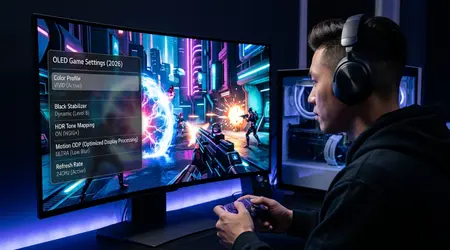
How do advanced refresh rates stabilize fast motion on self-emissive screens?
Deploying ideal OLED Gaming Settings 2026 requires aligning your monitor’s refresh cycle directly with your computer’s fluctuating frame rate production values.
Self-emissive pixels boast near-instantaneous response times, switching states within a fraction of a millisecond to prevent traditional ghosting trails entirely.
However, this immense speed creates a distinct visual stutter when rendering lower frame rate content on a highly sensitive high-frequency display.
Enabling variable refresh rate technologies completely eliminates this physical jar, synchronizing your panel’s behavior with the real-time output of your graphics card.
Also read: Step-by-Step Guide to Perfecting Parkour in Platformers
Why does sample-and-hold technology cause tracking blur?
Human eyes continuously track objects moving across a screen, smoothing out sequential images into a single fluid motion inside the visual cortex.
Because modern panels hold each frame static until the next refresh cycle arrives, your brain experiences a perceived blur despite rapid pixel speeds.
Read more: Best Tips for Multiplayer Survival Game Success
What are the benefits of black frame insertion?
Injecting a brief slice of absolute darkness between active frames mimicking classical cathode-ray tubes clears the visual cortex tracking memory completely.
This method delivers unmatched motion clarity during fast sports titles or competitive first-person shooters, though it slightly decreases overall peak brightness metrics.
What empirical data tracks display degradation risks this year?
Extensive long-term endurance studies published by the independent testing organization RTINGS confirm that panel longevity relies entirely on heat management software.
Their comprehensive testing demonstrates that utilizing maximum luminance on static desktop interfaces accelerates organic compound degradation far quicker than rendering fluid games.
Understanding these structural parameters allows you to implement protective OLED Gaming Settings 2026 without sacrificing your visual experience during nighttime entertainment.
The comparative table below maps out the precise setting configurations that strike the perfect balance between elite performance and long-term panel health.
Calibration Configurations for Peak Longevity and Performance
| System Setting Name | Target Value for Calibration | Operational System Impact | Primary Performance Benefit |
| HDR Output Profile | HGIG Enabled | Bypasses display processing | Eliminates clipped highlight data |
| Peak Brightness Control | High / Maximum | Increases voltage to white pixels | Delivers impactful specular highlights |
| VRR Format Selection | G-Sync / FreeSync Premium | Eliminates frame pacing fractures | Smooths out erratic frame drops |
| Logo Luminance Control | High / Aggressive | Dims static interface elements | Significantly reduces burn-in risks |
How does logo luminance dimming protect internal components?
Integrated software algorithms continuously scan the active video signal to detect static HUD elements, health bars, or persistent news channel banners.
Once identified, the system drops the voltage to those precise pixels, preserving organic compound integrity without changing the rest of the image.
What is the sense in running your expensive display at dangerous volcanic temperatures just to display an unmoving stamina meter?
This smart dimming feature remains practically invisible during active play, acting as a silent insurance policy for your high-end gaming station.
Why does color temperature accuracy matter during competitive gameplay sessions?
Perfecting your color configurations requires resisting the urge to select the vibrant, icy-blue color presets that manufacturers use to attract retail shoppers.
Standard industrial media mastering targets a warm D65 white balance point, which perfectly replicates the natural color parameters of average midday sunlight.
Selecting a cold, blue-tinted color profile alters skin tones drastically and makes lush green fields look unnaturally sterile and digital.
Calibrating your system to Warm 50 might look slightly yellow initially, but your eyes adapt within minutes to reveal incredible environmental depth.
How does color accuracy improve target identification?
When an engine displays accurate color tones, subtle shifts in shadow and clothing texture become significantly easier for the human eye to spot.
An enemy hiding inside a dark concrete stairwell stands out clearly when your screen tracks the color space accurately without artificial saturation.
How do you configure the black equalizer properly?
Adjust your low-end gamma curves until deep shadows appear ink-black but still reveal individual gravel textures or distant leaves under starlight.
Setting this parameter too low crushes the image completely, making it impossible to spot opponents crouching in dark corners during matches.
Mastering the Evolution of Visual Fidelity
Embracing proper OLED Gaming Settings 2026 unlocks the absolute pinnacle of current display technology, transforming your living room into an elite digital sanctuary.
We have dissected how combining HGIG tracking, variable refresh rates, and automated dimming tools delivers unmatched clarity while securing permanent panel protection.
Visual excellence is not an unachievable luxury, but rather the logical outcome of precise, intentional calibration choices made within system menus.
Stop settling for washed-out factory configurations that dilute the incredible artistic hard work of modern video game developers worldwide.
Take control of your hardware parameters today, and experience your favorite interactive worlds with the absolute clarity they deserve.
Have you noticed a massive difference in your motion tracking after enabling variable refresh rates? Share your experience in the coments!
Frequently Asked Questions
Why does my screen suddenly dim itself during extended, slow strategy games?
The automatic static brightness limiter engages whenever it detects minimal screen movement, lowering overall power output to prevent localized heat buildup.
Should I keep windows HDR turned on permanently for desktop use?
No, activate high dynamic range output exclusively when launching compatible games or media files to protect organic compounds from unnecessary static strain.
Does enabling variable refresh rates increase input lag during competitive matches?
Modern synchronization modules introduce less than a single millisecond of latency, a microscopic trade-off for eliminating tearing entirely.
How often should I manually trigger a deep pixel cleaning cycle?
Allow the automated internal system to run its short cleaning program during standby mode, avoiding manual deep cycles unless visible artifacting occurs.
