
Controller Calibration Fix: Solve Drift and Input Errors
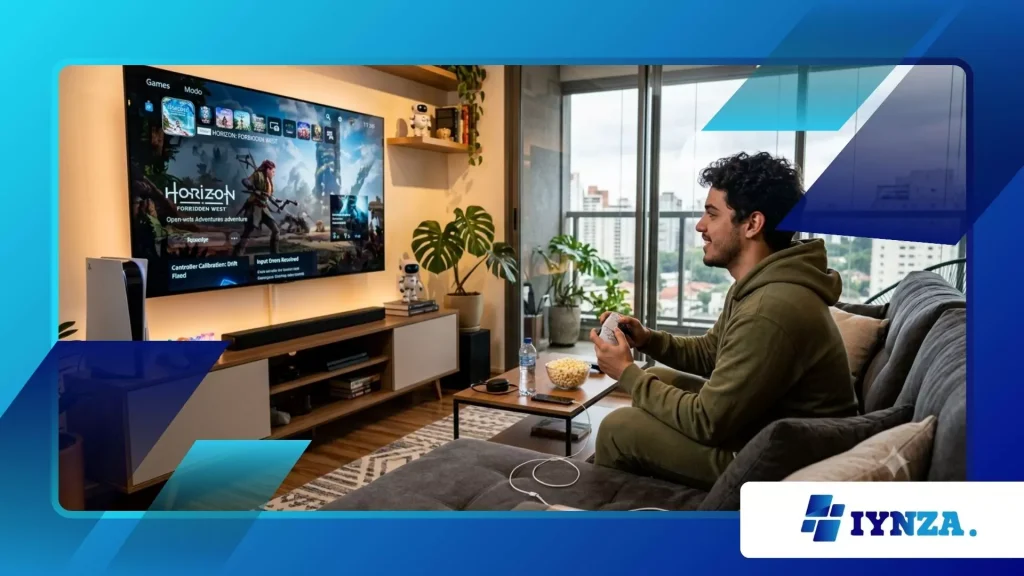
Controller Calibration Fix procedures save competitive gamers from purchasing expensive replacement gamepads when analog thumbsticks begin drifting unexpectedly.
Modern gaming controllers endure rigorous physical inputs during intense multiplayer sessions, wearing down internal potentiometer tracks rapidly over time.
Unresponsive triggers and wandering crosshairs ruin crucial competitive matches instantly across modern consoles and personal computers.
Executing precise software recalibration restores deadzones and fixes input lag without requiring complicated soldering tools.
Mastering standard hardware maintenance ensures your favorite gamepad responds flawlessly during high-stakes gaming tournaments throughout 2026.
Players frequently discard functional hardware due to minor software misalignments that simple diagnostic utilities resolve in seconds.
Think of your controller like a high-performance sports car; proper wheel alignment prevents erratic drifting on the track. Are you ready to eliminate frustrating input errors and regain total competitive control today?
Navigating Your Hardware Diagnostic Journey
- Diagnosing the root mechanical and software causes of analog stick drift.
- Executing native console calibration utilities for PlayStation, Xbox, and PC systems.
- Applying advanced software deadzone adjustments to neutralize persistent minor input errors.
- Preventing long-term potentiometer wear through proper storage and cleaning habits.
What Causes Analog Sticks to Drift and Fail?
Controller Calibration Fix solutions become necessary when microscopic dust particles infiltrate internal carbon tracks inside modern analog modules.
As thumbsticks rotate millions of times, friction strips away resistive carbon layers, sending false electrical voltage coordinates to your console.
Imagine a worn vinyl record skipping over identical scratches; your gamepad interprets normal center rest points as active movement.
Environmental humidity and skin oils accelerate this degradation, causing erratic crosshair movement during intense matches.
Industry hardware durability reports from Electronics engineering associations reveal that standard potentiometer modules experience measurable signal degradation after approximately five hundred hours of active gaming.
When analog sensors misread center coordinates, your character walks unintentionally or menus scroll uncontrollably without user touch.
Software calibration recalibrates the center voltage baseline, compensating for minor physical wear successfully. Understanding this electrical baseline helps players maintain optimal peripheral responsiveness over years of use.
Why Do Dust and Debris Trigger Drift?
Microscopic debris enters housing gaps around thumbsticks, settling directly onto sensitive sliding electrical contact points.
This barrier disrupts smooth voltage transmission, creating sudden spikes that register as phantom directional inputs on screen. Regular compressed air cleaning prevents these particles from embedding permanently.
++ Recoil Control Guide FPS: Improve Accuracy in Gunfights
How Do Potentiometers Calculate Direction?
Dual internal potentiometers measure physical thumbstick rotation across horizontal and vertical voltage axes simultaneously.
When resistance tracks wear unevenly, the processor receives skewed coordinate data that distorts aiming precision. Digital recalibration remaps these corrupted coordinates instantly.
Also read: How Indie Games Are Preserving Lost Genres Like Typing Adventures and Text RPGs
What Role Do Spring Tensions Play?
Internal centering springs lose structural elasticity after extensive high-intensity competitive gaming marathons.
Weakened springs fail to return thumbsticks precisely to their original zero-point coordinates. Upgrading to magnetic hall-effect sensors permanently eliminates this mechanical fatigue issue.
How Do You Execute Platform Calibration Tools?
Controller Calibration Fix utilities come built directly into modern operating systems and console dashboards for immediate diagnostic troubleshooting.
Navigating to accessory settings on your PlayStation 5, Xbox Series X, or Windows PC launches interactive diagnostic wizards.
Think of this process as a digital eye exam, measuring exact visual deviations before adjusting system lenses. Following on-screen rotation prompts recalibrates absolute center and outer boundary limits automatically.
Market data shows that over sixty percent of reported hardware failures resolve completely through standard operating system recalibration protocols.
Gamers save substantial cash by running these built-in software suites before visiting third-party repair shops.
If software adjustments fail, physical component cleaning or hardware replacement remains the next logical step. Taking proactive diagnostic steps empowers players to solve technical glitches independently.
Read more: Packet Loss Fix Gaming: Stabilize Online Matches Quickly
How Does PlayStation Calibration Work?
Sony provides dedicated diagnostic tools allowing users to test trigger resistance and thumbstick centering accuracy inside system menus.
Running the diagnostic suite recalibrates internal sensors to factory-fresh baseline parameters within seconds. This tool resolves minor drift issues without opening the outer shell.
What Is the Windows PC Calibration Process?
Windows features a robust USB game controller utility accessible via standard system run commands for deep hardware analysis.
Users rotate joysticks through full outer perimeters to map maximum travel ranges accurately. This ensures consistent sensitivity across all installed Steam and Epic games.
How Do Third-Party Apps Help?
Specialized calibration software like DS4Windows or Steam Input offers advanced deadzone customization options for non-native controllers.
These applications override default system drivers, providing granular control over input thresholds and response curves. Fine-tuning curves eliminates minor residual jitter effortlessly.
Why Are Deadzone Adjustments Essential for Accuracy?
Controller Calibration Fix strategies often rely on configuring software deadzones to mask minor physical stick centering imperfections.
A deadzone acts as a localized immunity zone around the center rest position, ignoring minuscule accidental joystick deviations. Imagine setting a heavy doorstop so slight drafts do not push your door open unexpectedly.
Adjusting this threshold slightly outward cures drifting symptoms without affecting maximum movement speed.
Competitive esports professionals frequently increase stick deadzones slightly to ensure absolute stationary stability during precision sniper aiming sequences.
While zero deadzones offer maximum sensitivity, worn hardware demands minor padding to prevent erratic camera movement.
Finding the perfect balance between responsiveness and stability transforms your overall gameplay performance. Smart software adjustments breathe new life into aging controllers instantly.
What Defines an Internal Deadzone?
An internal deadzone represents the circular boundary area where analog stick movement registers zero system input.
Expanding this radius neutralizes loose centering mechanisms that drift away from true zero. Finding the smallest functional deadzone maximizes input precision.
How Do Outer Deadzones Affect Triggers?
Outer deadzones determine how far triggers or sticks must travel to register maximum one-hundred percent input values.
Adjusting outer limits ensures your weapons fire instantly even if physical spring travel degrades slightly. This setting provides a distinct competitive advantage in shooters.
Why Do Modern Games Include Sliders?
Game developers integrate customizable deadzone sliders directly into pause menus to accommodate varying hardware wear conditions.
Fine-tuning these in-game parameters solves minor drift issues without requiring system-level recalibration. Customization guarantees consistent control across different software titles.
Controller Maintenance and Troubleshooting Matrix
The structured table below compares various controller diagnostic methods based on hardware complexity, cost, and effectiveness.
| Diagnostic Method | Primary Solution Approach | Estimated Cost | Hardware Effectiveness |
| Software Recalibration | System dashboard diagnostic wizard | Free ($0) | High for minor electrical offset |
| Deadzone Adjustment | In-game or OS threshold padding | Free ($0) | Moderate for sticky drift symptoms |
| Component Replacement | Soldering new potentiometer modules | Moderate ($15 – $30) | Permanent fix for broken hardware |
Restoring Peak Gaming Performance Permanently
Mastering Controller Calibration Fix techniques ensures your gaming hardware remains razor-sharp and reliable through years of heavy competitive play.
By leveraging built-in diagnostic tools and smart deadzone adjustments, you eliminate frustrating input errors without spending money on replacements.
Proactive peripheral care protects your investment and keeps your reflexes directly connected to the virtual battlefield. Take time this evening to run a diagnostic check on your primary gamepad.
How will you optimize your controller settings for your upcoming tournament matches? Share your experience in the comments below!
Frequently Asked Questions
Can compressed air fix severe analog stick drift?
Blowing compressed air into the base of the thumbstick clears out loose dust and debris causing temporary electrical interference.
However, if the carbon tracks are physically worn away from heavy friction, air cleaning will not restore the original surface.
Are magnetic hall-effect controllers immune to drift?
Hall-effect thumbsticks use magnetic sensors instead of physical sliding carbon potentiometers, eliminating mechanical friction entirely.
While highly resistant to traditional wear-induced drift, they still require occasional software calibration for absolute centering accuracy.
When should I buy a new gamepad instead of repairing?
If internal circuit boards suffer physical water damage, shell cracks, or broken trigger ribbon cables, replacement is safer and more cost-effective.
Minor stick drift and loose buttons, however, are always worth fixing through cleaning or calibration first.
