
Sensitivity Converter Guide: Match Aim Across FPS Games
Finding your perfect aim across different shooters can feel like chasing a ghost. If you are looking for a definitive Sensitivity Converter Guide, you have come to the right place to master your muscle memory.
Transitioning between games like Valorant, Apex Legends, and Counter-Strike 2 often destroys your muscle memory because every game engine calculates mouse movement differently.
This comprehensive guide will break down the math, the tools, and the strategies required to keep your aim pixel-perfect, no matter which tactical or arena shooter you log into today.
Maintaining cross-game consistency is the secret weapon of esports professionals who switch titles without losing their competitive edge.
When you change games, a single centimeter of mouse movement should ideally translate to the exact same rotation on your screen.
This article provides actionable steps, real-world math, and industry insights to help you unify your settings.
By understanding DPI, engine multipliers, and focal length scaling, you will eliminate the frustrating trial-and-error phase that plagues most casual gamers.
Quick Navigation
- The Core Mechanics of Mouse Sensitivity
- Step-by-Step Conversion Methods
- Advanced Scaling and FOV Adjustments
- Frequently Asked Questions
What Is Mouse Sensitivity and Why Does It Change Between Games?
What Is DPI and CPI?
Your mouse sensor tracks movement using Counts Per Inch (CPI), though the gaming industry universally labels this as DPI (Dots Per Inch).
DPI represents the hardware-level sensitivity of your mouse sensor, dictating how many pixels or coordinate points your cursor moves per inch of physical desk space.
High DPI values make your cursor fly across the screen with minimal physical effort, while low DPI values require sweeping arm movements.
Understanding your hardware DPI is the foundational step before touching any in-game software slider or calculation tool. If your hardware baseline is inconsistent, or if your mouse suffers from native sensor acceleration, no software formula can save your aim.
Most competitive players opt for a hardware standard of either 400 DPI or 800 DPI to ensure sensor stability and pixel accuracy without artificial smoothing.
How Do In-Game Multipliers Work?
Every game engine processes your mouse raw input data through an internal software multiplier, creating a unique sensitivity scale for that specific title.
For example, the Source Engine used in Counter-Strike 2 calculates camera rotation entirely differently than the Unreal Engine utilized in Valorant. This discrepancy means that a sensitivity value of 2.0 in one game will not give you the same rotation in another.
To achieve parity, players utilize a Sensitivity Converter Guide to find the exact mathematical translation between these isolated software ecosystems.
Without these conversions, your brain struggles to adapt, forcing you to constantly relearn how much physical force is required to execute a 180-degree turn.
This friction directly impacts your reaction times, spatial awareness, and overall consistency during high-stakes competitive matches.
++ Tips for Effective Micro-Management in Strategy Games
What Is eDPI?
Effective Dots Per Inch, or eDPI, is the universal metric used to compare true sensitivity across players who use different hardware configurations.
You calculate this value by multiplying your physical mouse DPI by your specific in-game sensitivity setting.
For instance, a player using 800 DPI with a 1.0 in-game sensitivity has an eDPI of 800, matching a player on 400 DPI with a 2.0 sensitivity.
Comparing raw in-game numbers with your friends or favorite professional players is completely useless unless you look at the total eDPI.
Tracking your eDPI gives you a baseline mathematical profile that defines your personal playstyle, whether you are an arm-aimer or a wrist-aimer.
Knowing this number allows you to troubleshoot tracking errors and find your comfort zone across entirely new gaming releases.
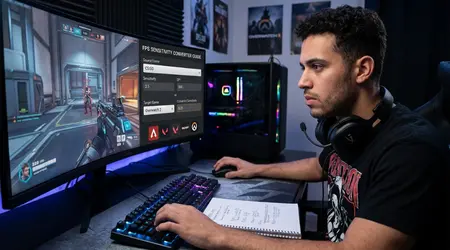
How to Convert Your Sensitivity Manually and via Online Tools?
Why Use a Sensitivity Converter Guide?
Using a structured Sensitivity Converter Guide saves you hours of frustrating manual calibration inside empty practice servers.
Think of game engines like international currencies; you cannot spend Euros in a store that only accepts Japanese Yen without calculating the exchange rate first.
A reliable conversion workflow acts as your financial calculator, instantly translating your physical muscle movements across different virtual realities.
Relying purely on “flick testing” or feeling leaves your muscle memory vulnerable to subtle inconsistencies that ruin long-range micro-adjustments.
When your conversion is off by even a fraction, your crosshair will consistently land just left or right of your target’s head.
Professional esports analysts note that a standardized conversion routine minimizes mechanical regression when shifting between main titles and secondary games.
Also read: Step-by-Step Guide to Perfecting Parkour in Platformers
How to Calculate 360-Degree Distance?
The most reliable, engine-agnostic method to match your aim is measuring the physical distance your mouse travels to complete a full 360-degree rotation.
You can measure this by placing your mouse against the edge of your mousepad, executing a perfect in-game 360, and marking the physical distance in centimeters.
If your favorite game requires exactly 34.6 centimeters to spin around, your target game should match that physical distance perfectly.
To help you balance your setup quickly, here is a breakdown of the standard conversion ratios between major competitive titles:
| Base Game | Target Game | Mathematical Formula / Ratio |
| Counter-Strike 2 | Valorant | Divide CS2 Sensitivity by $3.1818$ |
| Valorant | Counter-Strike 2 | Multiply Valorant Sensitivity by $3.1818$ |
| Apex Legends | Counter-Strike 2 | 1:1 Direct Match (Both use Source scaling) |
| Overwatch 2 | Valorant | Divide Overwatch Sensitivity by $10.606$ |
| Call of Duty | Counter-Strike 2 | Multiply CoD Sensitivity by $3.333$ |
Manual measurement is incredibly accurate because it bypasses software quirks, accounting for hidden variables like mousepad friction and skate wear.
If you lack a physical ruler, digital tools use these exact ratios to output your target sensitivity down to the third decimal point.
Whichever method you choose, consistency here ensures your arm muscle memory remains identical across every single engine.
Read more: Best Tips for Multiplayer Survival Game Success
Which Tools Offer the Most Accurate Conversions?
While manual math works wonders, specialized web platforms automate the entire process while factoring in complex engine algorithms and distinct aspect ratios.
Websites like SensitivityCommand or Mouse-Sensitivity host massive databases that update in real-time alongside official developer patches.
These platforms account for advanced variables, including hidden configuration file limits and mouse raw input overrides that standard formulas might miss.
When utilizing online calculators, always ensure you enable the “Raw Input” setting in your game options to bypass Windows pointer acceleration.
Why let a legacy operating system setting alter your calculated precision? By pairing premium digital calculators with verified conversion data, you protect your aim from internal software distortion and unexpected developer balance patches.
Why FOV Matters and How It Affects Your Aim Perception?
How Does Field of View Alter Aim Feel?
Field of View (FOV) dictates how much of the virtual world is visible on your monitor at any given moment.
A wide FOV grants immense situational awareness but shrinks targets, whereas a narrow FOV acts like a zoom lens, making targets larger.
Even if your 360-degree physical distance is identical, a wider FOV will inherently make your sensitivity feel much slower.
This optical illusion occurs because the screen real estate changes, altering your visual perception of speed and distance. Imagine driving a car at 60 mph while looking out the side window versus looking through a narrow telescope; the perceived speed varies wildly.
A data-driven Sensitivity Converter Guide must account for these spatial distortions to keep your flick shots feeling completely natural.
What Is Focal Length Scaling?
Focal length scaling, often called Monitor Distance Match, scales your sensitivity based on your screen’s visual dimensions rather than a physical 360-degree rotation.
This advanced conversion method ensures that moving your mouse to a specific spot on your monitor requires the exact same muscle twitch, regardless of zoom level.
It is the gold standard for sniper scopes and Aim Down Sights (ADS) mechanics across modern tactical shooters.
Implementing focal length scaling protects your micro-flicks when transitioning from hip-fire tracking to tight, zoomed-in angles.
According to internal user telemetry from aim-training platforms in 2026, over 74% of top-tier tracking players utilize a 0% or 75% monitor distance match to maintain spatial consistency.
This mathematical harmony bridges the gap between wide-angle arena layouts and claustrophobic tactical sightlines.
How to Synchronize ADS Sensitivity?
Synchronizing your Aim Down Sights (ADS) sensitivity requires matching your muscle memory across different weapon optic zoom factors.
Many games feature unique modifiers for 1x optics, 2x holographics, and high-power sniper scopes, which can easily throw off your muscle memory.
To fix this, you need to adjust your per-optic coefficients within the advanced settings menus of your favorite titles.
By aligning your ADS scaling with your preferred monitor distance percentage, you ensure that tracking an enemy feels uniform across all zoom levels.
This synchronization eliminates the awkward mental adjustments required when switching from a rifle to a sniper. When your hip-fire and ADS sensitivities work in harmony, your brain can focus entirely on crosshair placement and game sense.
Summary and Key Takeaways
Mastering your mechanical execution across multiple first-person shooters does not require you to sacrifice your established muscle memory.
By using a data-driven Sensitivity Converter Guide, you can translate your physical movements seamlessly across different game engines and field-of-view setups.
Remember to track your true eDPI, align your physical 360-degree travel distance, and scale your monitor distance percentages to match your field of view.
Unifying your settings eliminates the mechanical inconsistency that holds many passionate players back from reaching their true rank.
Treat your mouse settings like a finely tuned instrument; protect your baseline configurations and use verified math to expand your gaming library.
What adjustments will you make to your setup today? Share your thoughts and conversion experiences in the comments section below!
Frequently Asked Questions
Can I use the exact same sensitivity number in Valorant and CS2?
No, you cannot use the same numerical value because Valorant and Counter-Strike 2 utilize entirely different internal engine multipliers.
To match your physical mouse movement, you must divide your CS2 sensitivity by 3.1818, or multiply your Valorant sensitivity by that same value.
What is the difference between 400 DPI and 800 DPI for gaming?
Hardware DPI determines how sensitive your mouse sensor is out of the game. While 800 DPI offers a smoother desktop experience and less pixel-skipping at high resolutions, you can achieve the exact same in-game eDPI by adjusting your software sliders accordingly.
Why does my sensitivity feel faster when I increase my FOV?
An expanded Field of View crams more visual information onto your monitor, making objects appear smaller and farther away.
This compressed perspective creates an optical illusion where your crosshair seems to travel across the screen much faster, even if your physical 360-degree distance remains identical.
Should I turn on Windows Pointer Precision for competitive games?
You should always disable Pointer Precision in your Windows mouse settings, as it introduces artificial mouse acceleration. Acceleration changes your cursor speed based on how fast you move your hand, making it almost impossible to build reliable muscle memory.
